


Word Search - Word Puzzle Game
4.816.05K Reviews
App Specs
- Version
- 4.7.0
- Updated On
- License
- Free
- Downloads
- 100,000,000+
- Developer
- Bluetile
- Categories
- Word
- Platform
- Android, iOS
Screenshots
 Analysis by AppCompare
I tend to enjoy word games most when they let me get started without a long tutorial, and that is the appeal I found in Word Search - Word Puzzle Game. I open it, pick a puzzle, and begin scanning the letters; the aim is clear almost immediately. That makes it easy to fit into a spare moment, whether I’m waiting for an appointment or settling down for a quieter break. It is a straightforward word-search game from Playvalve, rather than a collection of unrelated puzzles dressed up under one name.
Where a quick session fits
The game suits people who like visual word-finding more than quizzes that demand trivia knowledge or word games built around spelling words from a rack of letters. I can play at my own pace in the untimed mode, or choose the timer when I want the search to feel more urgent. That difference matters: the same grid can be a calm focus exercise or a small, self-imposed challenge, depending on how I feel that day.
A realistic use is a short pause between tasks. I might play one puzzle while waiting for a kettle to boil, then put the phone down when it is ready. The familiar rules make that easy, and I don’t need to remember a story, build a streak, or resume a complicated level. On the other hand, if I want a game with a narrative, a strategic campaign, or a large variety of puzzle mechanics, this is probably too focused for me. Its appeal is the word hunt itself.
How it compares with other word games
Compared with crosswords, this asks less of my general knowledge and more of my ability to notice letter patterns in a grid. Compared with anagrams, I don’t have to rearrange a small set of letters to form a word; the challenge is spotting a word that is already laid out among distractions. That makes it approachable when I’m tired, though it can also feel repetitive if I’m looking for a fresh type of problem each time I play.
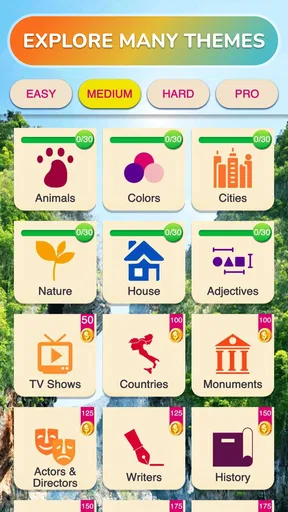
The category choices help give a puzzle a bit of direction, while the gradual rise in difficulty offers a reason to keep going beyond the easiest grids. I find it useful to scan in a consistent way rather than darting around randomly: look for an unusual starting letter, trace possible lines in each direction, and then check the remaining list. That simple habit makes the search feel more deliberate and can help when a word seems to vanish into the grid.
Small trade-offs worth knowing
The hint is helpful when I’m genuinely stuck, but I treat it as a last resort rather than tapping immediately. Taking another pass through the grid first is part of the satisfaction; using a nudge too soon can make the puzzle feel less like my own solve. The timer has a similar trade-off. It adds energy for players who enjoy a deadline, but it is not the best choice if I’m using the game to switch off or if I’m interrupted often. Untimed play is the more forgiving option in those moments.
The daily challenges and their rewards give me a reason to return, but I would not rely on them as the only source of variety. The basic loop is still searching, finding, and moving on. Background music is easy to turn off in the settings, which is useful if I’m playing in a quiet room or listening to something else. These are small choices, but they let me tune the experience to a commute, a waiting room, or a calm moment at home without changing what the game is about.
Worth Reading Before You Choose

Baby Panda World Brings Quick Play to Modern Phones, but Its Game Library Feels Busy

ESPN’s Live Game View Makes Following Close Games Easier

QuizzLand Review: A Good Fit for Short Trivia Breaks, Not Every Player

Basketball Stars: Multiplayer Is Fast, but Can It Recover When Matches Go Wrong?

WEBTOON Turns Phone Updates Into a Better Reading Routine

Link to Windows Runs on Shared Habits, Not Social Feeds
There are also sensible expectations to set around the brain-training angle. I enjoy the attention and vocabulary practice that comes from looking for words, but I see it as a light mental activity, not a substitute for a course or a promise of measurable improvement. If I want to learn new vocabulary systematically, I would pair this kind of play with reading or a dedicated study tool. Here, the reward is the pleasure of finding a word and completing a puzzle, not a structured lesson.
For a free game, it is worth knowing that optional in-app purchases range from $0.99 to $19.99 per item. I can try the core word-search experience without paying upfront, while anyone who prefers to avoid spending should pay attention to purchase prompts and device settings. It is rated for Everyone, and its current version is 3.8.0. The game was released on Nov 14, 2020, and it runs on Android 7.0 or later. Those details make it accessible to many Android users, though the exact feel will still depend on the device and on whether timed play suits them.
Getting Started: Easy Peasy
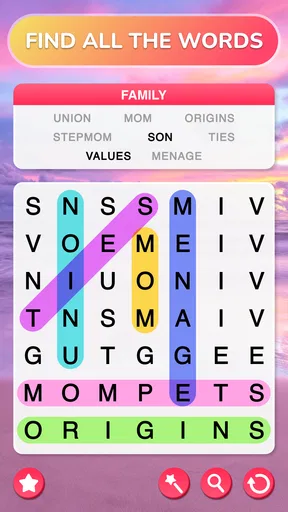
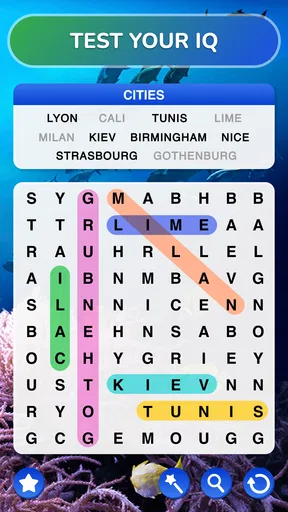
First things first, downloading and setting up the app was a breeze. I didn’t have to jump through hoops or deal with pesky pop-ups. Once you fire up the app, you’re greeted with a clean and straightforward interface. No bells and whistles, just getting straight to the good stuff. You can dive right into the action with a variety of categories to choose from, which I found pretty neat. Whether you’re into nature, movies, or just want a random mix, Word Search - Word Puzzle Game has got you covered.
Gameplay: A Fun Challenge
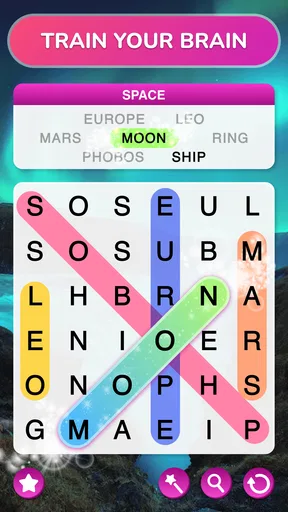
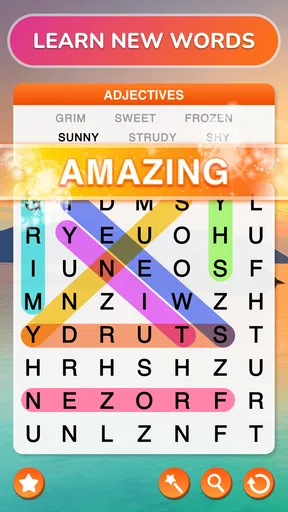
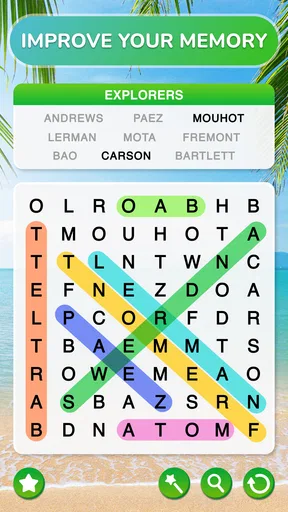
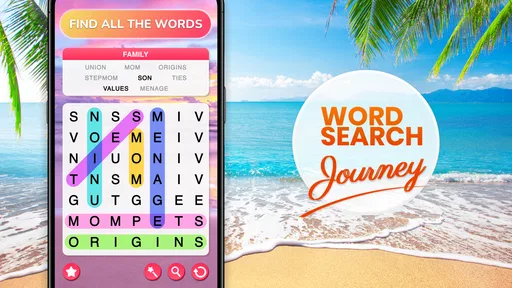
Now, onto the gameplay itself. You’re presented with a grid of letters and your task is to find hidden words in all directions—horizontal, vertical, diagonal, you name it. It’s like hunting for treasure but with words! I particularly loved the fact that the game gradually increases in difficulty. It starts off simple, which is perfect for beginners, but as you progress, it really tests your vocabulary and pattern recognition skills. Trust me, it’s more challenging than it looks!
One feature that really stood out to me was the timer. It adds a bit of pressure, which I personally thrive on, but if you're more of a laid-back player, you can opt for the untimed mode. There's something for everyone here.
Features That Shine
What makes this app shine are the little features that enhance the overall experience. I noticed that it has a hint system, which is a lifesaver when you’re stuck. Just a tap, and you get a nudge in the right direction. Another cool feature is the daily challenges. They’re a great way to keep the game fresh and exciting every day. Plus, you get rewarded for completing them, so it feels like a mini achievement every time.
Oh, and did I mention the soothing background music? It’s subtle, doesn’t distract you, and actually helps me stay focused. But if you’re not a fan, you can easily turn it off in the settings.
The session rhythm and reward
The core loop is pleasantly easy to understand: choose a category or challenge, find the listed words, receive the small satisfaction of clearing them, and decide whether to start another grid. I like that the next session is an invitation rather than an obligation. There is no need to treat every pause as a commitment to a long run; one completed puzzle can feel like a tidy stopping point.
That rhythm also explains why I reach for it instead of a more involved mobile game. A word-search grid gives me a clear task and clear feedback as I spot each answer. The reward is immediate but modest, which suits a short break. If I am looking for a stronger sense of progression or a payoff that changes the way I play, I would choose a deeper puzzle game instead.
Who will enjoy it—and who may not
I would recommend it to casual players who like familiar rules, people who want a screen break that still asks them to concentrate, and word-game fans who enjoy searching rather than composing answers. It can also work well for a shared quiet moment: one person can scan the grid while another calls out possible directions, without either needing to learn a complicated control scheme.
I would steer away from it if visual scanning is tiring for you, if you dislike repeated grid layouts as a general genre, or if you want every session to teach unfamiliar words with definitions and examples. A word-search game can expose you to vocabulary, but finding a word is not the same as learning how to use it. For that goal, a vocabulary app or a crossword with richer clues would be a better fit.
One useful way to keep the game from becoming a blur is to change how you approach each grid. Instead of sweeping every row repeatedly, pick a word from the list, focus on a distinctive letter, and trace outward in each direction. If you still cannot see it, switch to a different word and return later. I find this more satisfying than using a hint at the first sign of friction, and it turns the search into a small process rather than random tapping.
Playvalve’s word game has a 4.8 average from around 685,000 ratings, and it has passed 50 million installs. Those figures suggest that the simple format has broad appeal, but they do not mean it will suit everyone. Its strength is how quickly it gets to the puzzle; its limitation is that the same focused loop may not hold attention for players who need more variation from one session to the next.
Final Thoughts: Worth Every Minute
In a world where we’re constantly bombarded with complex apps, Word Search - Word Puzzle Game is a breath of fresh air. It’s simple yet addictive, challenging yet relaxing. Whether you’re looking to kill some time or want to boost your brainpower, this app is a fantastic choice. It’s become my go-to when I need a break or just want to unwind with a bit of fun. Give it a whirl, and I bet you’ll be hooked too!
Pros
- Engaging and challenging puzzles.
- Simple and intuitive interface.
- Variety of levels to explore.
- Offline play available.
- Daily challenges boost replayability.
Cons
- Contains in-app ads.
- Limited free hints.
- Repetitive background music.
- Occasional loading delays.
- No multiplayer option.
FAQs for Word Search - Word Puzzle Game
What is Word Search - Word Puzzle Game and how does it work?
Word Search - Word Puzzle Game is a classic puzzle app designed for both Android and iOS users. It challenges players to find hidden words within a grid of letters. The game offers various difficulty levels and themes, making it suitable for all ages. Players can swipe to select words, enhancing both vocabulary and cognitive skills.
Are there any in-app purchases or ads in Word Search - Word Puzzle Game?
Yes, while Word Search - Word Puzzle Game can be downloaded for free, it typically includes ads. Additionally, there are in-app purchases available, allowing players to remove ads, unlock extra features, or obtain hints. These purchases enhance the gaming experience but are not necessary for enjoying the basic game.
Can I play Word Search - Word Puzzle Game offline?
Yes, one of the appealing features of Word Search - Word Puzzle Game is its offline capability. Players can enjoy the game without an internet connection, making it a perfect companion for travel or areas with limited connectivity. However, certain features like leaderboard access may require an internet connection.
Is Word Search - Word Puzzle Game suitable for children?
Absolutely, Word Search - Word Puzzle Game is designed to be family-friendly and is suitable for children. It aids in developing vocabulary, spelling skills, and concentration. Parents can choose easier levels for younger children, while older players can challenge themselves with more difficult puzzles.
What are some unique features of Word Search - Word Puzzle Game?
Word Search - Word Puzzle Game stands out with its variety of themes and difficulty levels. It offers daily challenges, a hint system for when players get stuck, and a visually appealing interface. The app also features a progress tracker, so players can monitor their improvement over time.


